


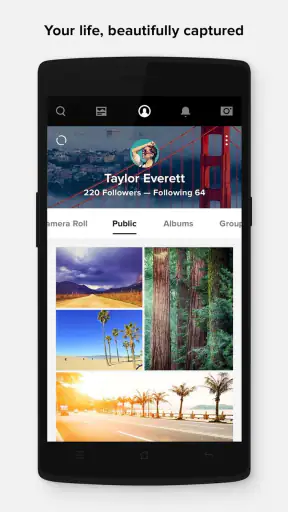
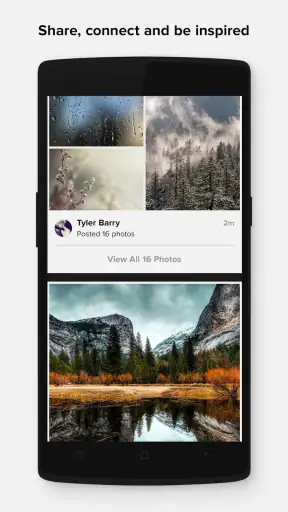
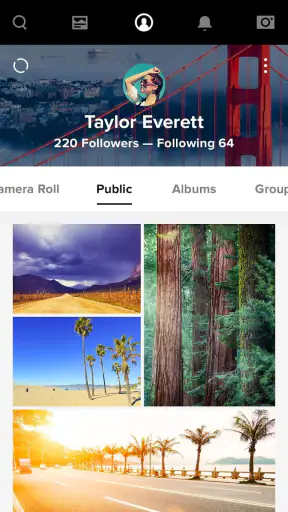
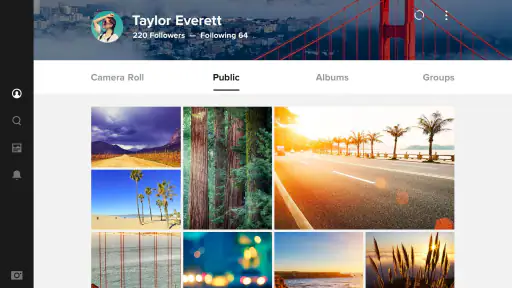
When a household has photos spread across several phones, computers, and social apps, the hardest part is often not taking pictures but keeping track of them. I found Flickr useful in that exact situation because it gives a shared place for uploading, organizing, editing, and showing images without forcing everyone to use the same camera app. It feels more like a photo library and community platform than a simple gallery replacement, which makes it especially interesting for families, partners, or housemates who need to coordinate memories without mixing every personal image together.
Flickr is a free photography app from Flickr, Inc., with optional in-app purchases ranging from $9.99 to $82.00 per item. The Android release I reviewed is version 5.0.2 and works from Android 7.0 onward. Its average rating is 3.3 from around 34 thousand ratings, and it has passed 1 million installs. Those figures suggest a sizeable, established audience, although the middling rating also matches my impression that the experience can be rewarding once organized but occasionally less smooth than newer, simpler photo services.
How Flickr works when several people share a household
A realistic example is a weekend trip where one person takes landscape shots, another captures food and family moments, and a child uses a phone for quick snapshots. Instead of sending everything through several messaging threads, each person can use their own account and contribute selected images to a common collection or shared viewing space. That separation matters: a household can coordinate around an event without turning one person’s entire camera roll into a communal archive.
I would not treat the app as a shared-device gallery where everyone signs into one account casually. A common login makes ownership unclear, and it becomes easy to upload private images by mistake or edit someone else’s organization. The better arrangement is individual accounts, deliberate sharing, and a simple household convention about what belongs in a joint album. This is less convenient than one universal family folder, but it gives each person a clearer boundary.
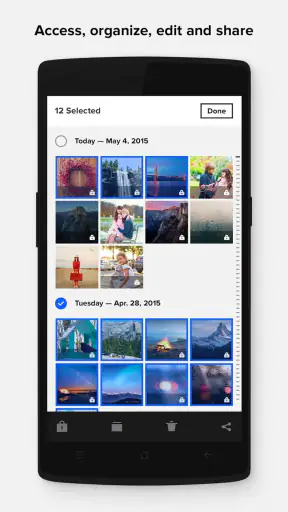
Flickr’s strongest household use is retrospective rather than live coordination. After a birthday, holiday, school performance, or home project, contributors can gather the best images in one place and make them easier to revisit. I like this workflow because it avoids the pressure to sort every photograph immediately. Upload first, remove obvious mistakes later, then add useful titles or descriptions while the event is still fresh.
There is also a creative benefit. A shared album can show how different people saw the same day. One photographer may focus on details while another records people and movement. Flickr’s photography-centered design makes that variety feel intentional instead of like a pile of duplicate attachments. For a household that enjoys looking back at images, this is more satisfying than leaving everything buried in a chat history.
Separate personal libraries from shared moments
The first boundary I would establish is the difference between a personal stream and a household collection. Not every image needs to be visible to relatives or housemates. Screenshots, work documents, private portraits, travel bookings, and accidental camera captures should be reviewed before uploading or sharing. The app can support a thoughtful archive, but it cannot replace the human decision about what belongs in it.
On a shared tablet or family phone, I would be especially careful before enabling any upload workflow. The person using the device may not be the person who owns every photograph stored on it. A quick review before publishing is worth the extra seconds, particularly when children use the same hardware or when several people switch between accounts.
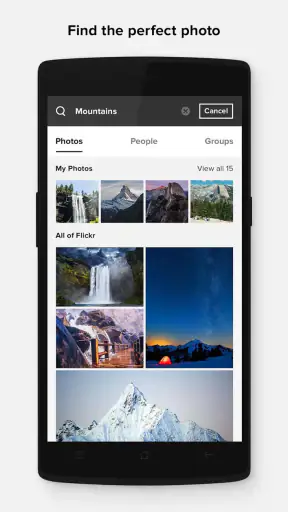
Another practical boundary is naming. A household album called “Summer” becomes vague very quickly. I prefer labels built around the occasion and people involved, such as a trip name, a renovation stage, or a school year. Even without relying on advanced cataloging, consistent titles make later searching and browsing much easier. The small effort at upload time prevents the familiar problem of having hundreds of images that technically exist but are difficult to find.
Flickr is not the best choice if the main goal is automatic backup with no decisions. Services built around device synchronization are usually more convenient for silently copying a camera roll. Here, I see more value in intentional publishing and presentation. That distinction is important: if a family wants every photo protected immediately, a dedicated backup service should handle that job, while Flickr can serve as the curated layer.
Coordinating uploads without creating confusion
For a shared event, I recommend agreeing on a small workflow before everyone begins uploading. Decide who creates the collection, whether contributors add original files or only favorites, and who performs the final cleanup. Without that agreement, several people may create near-identical albums, use different names, or assume someone else has checked privacy.
One useful habit is to keep the first pass loose and the final pass selective. Contributors can upload their strongest images, then revisit the collection later to remove duplicates and blurry shots. This works better than demanding perfect editing from everyone at the moment of capture. It also lets less experienced photographers participate without feeling that every upload must be polished.
The editing tools are useful for basic improvement, but I would not choose this app as a replacement for a full professional editor. For household documentation, modest adjustments can make a meaningful difference: correcting a crooked horizon, improving a dim indoor image, or preparing a crop for easier viewing. For layered retouching, detailed color work, or advanced batch processing, a dedicated editing app remains the better tool.
That division of labor is one of the more important trade-offs. Flickr brings organization, sharing, and a photography community together, while specialist apps usually go deeper in one area. A phone gallery may be faster for finding the latest image. A cloud drive may be clearer for storing documents. A social network may be easier for immediate reactions. Flickr earns its place when the household wants photographs to remain the focus rather than becoming incidental attachments.
What account boundaries mean for children and guests
The mature 17+ content rating deserves attention in a household setting. I would not interpret a photography platform as automatically suitable for unsupervised younger users simply because the app is free or easy to install. The rating is a reminder that the wider community and public-facing nature of photography require adult judgment, especially when a child is browsing beyond a private family collection.
For younger family members, I would keep participation narrow and supervised. They might contribute selected images to a household project while an adult handles account decisions, public visibility, and interactions with other photographers. I would not hand over an adult account as if it were a child-safe family profile, and I would explain that a photograph can reveal more than intended through faces, locations, school uniforms, or recognizable home details.
This is also where trust matters more than convenience. Each person should know who can see a shared album and what happens when a picture is removed or reorganized. A teenager may be comfortable contributing to a private family event but not to a public photography stream. A visiting relative may want access to vacation images without becoming part of the household’s wider account arrangement. Clear expectations prevent misunderstandings that no editing tool can fix.
I also recommend discussing ownership before a shared project begins. If one person takes the photograph, another edits it, and a third organizes the album, the household should still know who keeps the original and who is comfortable with wider sharing. Flickr makes collaboration around images practical, but it does not remove the need for respectful consent between people appearing in those images.
Everyday strengths and points of friction
My favorite part of the experience is the sense of purpose it gives to a photo collection. Instead of treating images as disposable phone content, Flickr encourages me to think about titles, descriptions, presentation, and the story behind a set. That is particularly valuable for family history, travel documentation, hobby photography, and long-running home projects where context matters as much as the picture itself.
The community aspect can also be motivating for an adult photographer in the household. Someone who is learning composition or experimenting with a new camera may appreciate having a place designed around photographs rather than general status updates. At the same time, that public dimension may feel unnecessary for people who only want a private backup. The app is more engaging when you care about displaying or discussing photography, not merely storing files.
The main friction is that the experience asks for more attention than a basic phone gallery. Organization takes time, sharing requires care, and the distinction between personal and public activity should not be ignored. The average rating of 3.3 reflects that it will not satisfy everyone equally. I can understand why a user who expects instant, invisible synchronization might find the workflow less direct, while a photography enthusiast may appreciate the extra control.
Storage expectations also deserve a realistic conversation. A free app can be a good way to begin organizing a household’s favorite images, but serious long-term use may lead to optional purchase decisions. Since the listed in-app purchase range is broad, I would check the current plan details inside the store before committing to a large archive. I would not assume that a free installation automatically covers every future storage or account need.
Another practical tip is to keep a second copy of irreplaceable originals. Flickr can be part of a household’s photo workflow, but I would not make one online service the only home for wedding pictures, legal records, or years of family history. A separate backup on a computer or external drive gives the collection resilience if an account becomes inaccessible or an accidental deletion occurs.
Who should use it, and who should choose something else
I would recommend Flickr to households that enjoy photography, want a deliberate shared archive, or need a place to bring together images from different people without merging their entire device libraries. It is also a good fit for someone who wants to show photographs with more context than a messaging app provides. The app feels most worthwhile when the user is prepared to curate, label, and revisit images.
I would be more cautious for a family seeking a completely automatic backup solution, a child-focused social experience, or a simple folder for mixed documents and photos. A mainstream cloud gallery is usually easier for effortless device synchronization. A shared drive may be better for scans, PDFs, and household paperwork. A private messaging group may be faster for sending a few pictures today, although it is usually worse for preserving an organized collection over time.
It is also not my first choice for intensive professional editing. The photography focus is a strength, but it does not make the app a full replacement for specialized editing software or a carefully managed professional asset library. Photographers who need complex corrections, detailed metadata workflows, or strict business permissions should compare dedicated tools before moving a working archive.
For a couple or group of adult friends, the balance is easier: separate accounts, a named shared collection, and a quick agreement about visibility. For a larger household, the same approach still works, but only if one person takes responsibility for organization. Otherwise, the archive can become fragmented even though everyone is technically contributing.
My household verdict
After using it with shared-photo scenarios in mind, I see Flickr as a curated photography home rather than a universal family storage box. Its value comes from giving household images a structure and a visual identity. The best results happen when people choose what to upload, understand who can view it, and accept that organizing a meaningful archive takes more involvement than switching on automatic backup.
The app is free to install, but optional purchases and the mature age context should be part of the household conversation before younger users or shared devices are involved. I would set up individual accounts, keep personal libraries separate, supervise any child participation, and maintain another backup for irreplaceable originals. Those steps make the experience safer and reduce the confusion that shared access can create.
My recommendation is simple: choose Flickr when your household wants to collect and appreciate photographs, not just move them from one device to another. It offers a distinctive middle ground between a phone gallery, a backup service, and a photography community. The extra organization is a drawback for anyone seeking effortless automation, but for people willing to curate shared memories, that same effort is what makes the archive feel worth keeping.


